Save what you have.
Open your existing listing and select Clone this listing. RelistAI saves supported details and photos in your local vault, then opens the same marketplace’s new-listing page.
 RelistAI
Give your resale listings another start. Save an existing listing, fill a new draft on the same marketplace, and review every detail before you publish.
Chrome 120+ · Install with Developer mode
The free tier includes 3 AI drafts and 3 relist fills each week. AI requires your own provider configuration; API fees are separate.
An example of your next move
Saved from your Depop listing
Vintage forest crewneck
Filled where the marketplace supports them.
Start with same-platform relisting on the free tier.
Keep up to 20 recent items in local extension storage.
Use your own Gemini, OpenAI or compatible provider.
Inside RelistAI
A compact popup keeps your saved items close. Seller tools appear on supported marketplace pages.
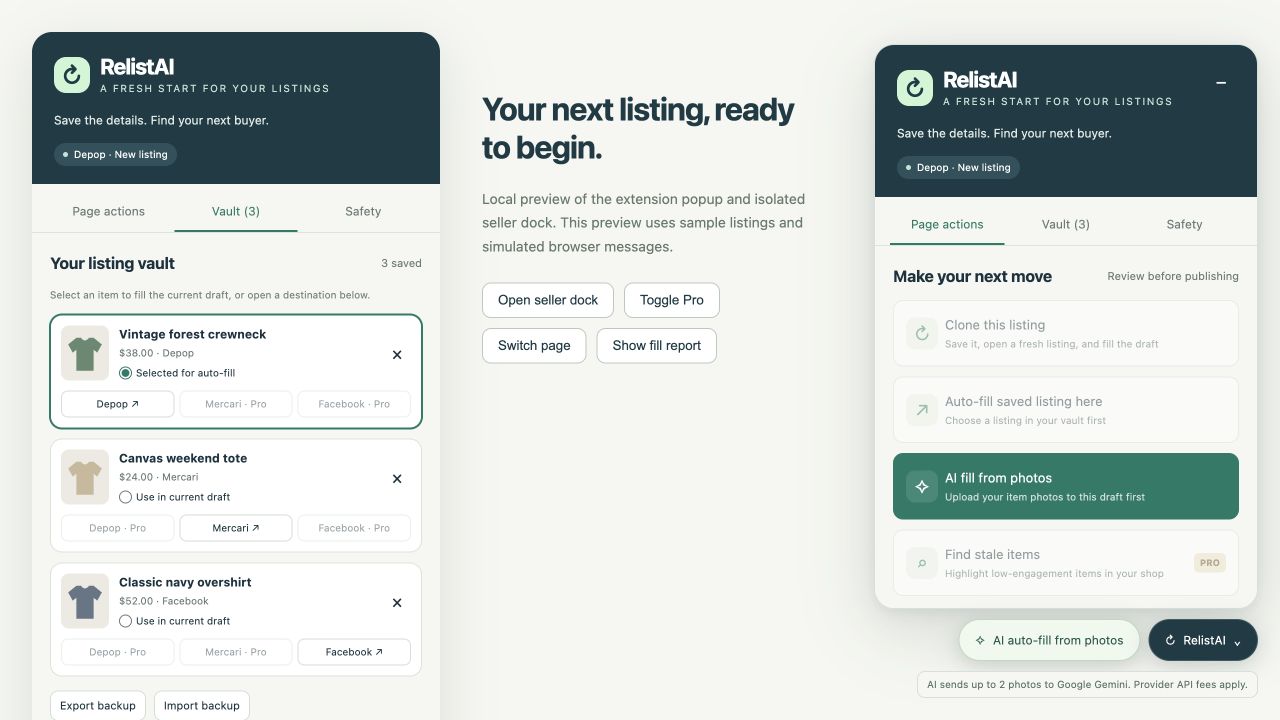
A few deliberate steps
Open your existing listing and select Clone this listing. RelistAI saves supported details and photos in your local vault, then opens the same marketplace’s new-listing page.
Review the filled fields and add anything the marketplace requires. Starting from photos? Upload them to your draft and select AI Fill to generate editable listing text.
Check photos, condition, measurements, price and AI suggestions. Publish the new listing and handle the old listing yourself through the marketplace’s usual controls.
Try the free beta
This beta is distributed as an unpacked Chrome extension. Download the ZIP and follow these steps.
Download beta ZIPchrome://extensions.manifest.json.Before you begin
Same-platform relist drafts, a local listing vault, JSON vault backup and restore, and optional AI photo autofill. You get three successful AI drafts and three successful relist fills per week; counters reset Monday at 00:00 UTC. The beta download can be used on the free tier.
A verified paid subscription enables cross-platform draft filling, scanning loaded shop cards for older items with low known engagement, and AI draft and relist fill credits without a weekly limit. Configured plans are USD $9.99 per month or USD $49 per year. Pro checkout is awaiting launch verification. AI still requires your own provider configuration and separate API fees; all plans retain AI rate limits of one request every 20 seconds, three per minute and 30 per hour.
You make those decisions. RelistAI fills editable drafts and reports skipped fields. It never clicks Publish, Delete, Save or Next for you. Marketplace layouts may change, and some fields or photos may need manual entry.
Configure Gemini, OpenAI or a compatible public HTTPS endpoint in the popup. When you select AI Fill, RelistAI sends up to two compressed item photos to that provider to generate listing details. AI suggestions need your review, and provider API charges are separate from any Pro subscription.
Your vault, preferences and AI API key stay in local extension storage. The key is excluded from vault exports and page-facing settings. Photos are sent to your selected AI provider only when you request AI Fill. Subscription verification uses ExtensionPay. Read the privacy policy for the complete data flow and your controls.
RelistAI is an independent tool. Depop, Mercari and Facebook Marketplace are trademarks of their respective owners. Use your own listings or content you are authorized to reuse, and follow the rules of the marketplace where you sell.